Bedrock Edition
Use Minecraft Bedrock on Windows, iPhone, iPad or another supported device—not Java Edition.
Private Bedrock server
A creative Minecraft world for our group of friends. Ask to be added to the allowlist, then use the details below to join.
minecraft.candilo.ro
19132
Minecraft Bedrock Edition · Microsoft account required · Approved players only
Before you connect
Use Minecraft Bedrock on Windows, iPhone, iPad or another supported device—not Java Edition.
Open Minecraft and make sure you are signed in with the Microsoft/Xbox account you plan to use.
Send the exact Gamertag to Caitlin, Jeffery or the WhatsApp group before trying to join.
First-time setup
The screenshots show Minecraft on a computer. Phone and tablet layouts may look slightly different, but the same server details apply.
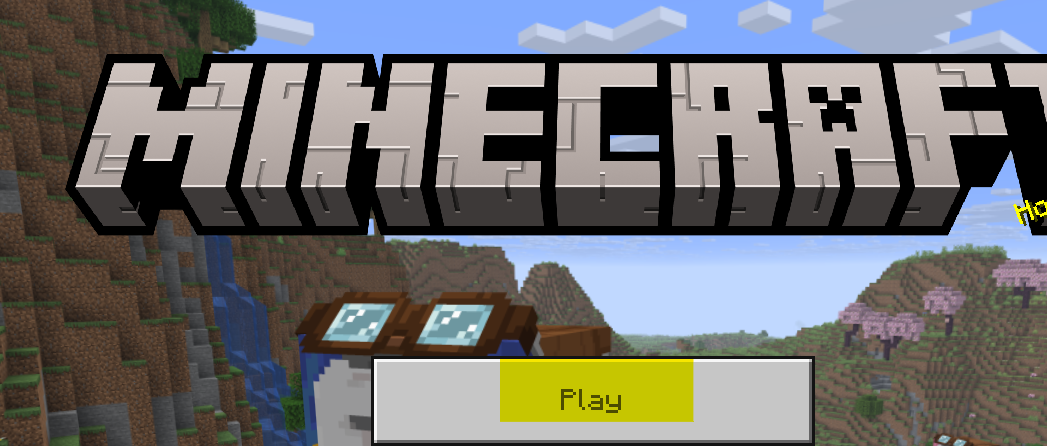
Sign in, then select Play.
Select the Servers tab, then scroll to the bottom of the server list.

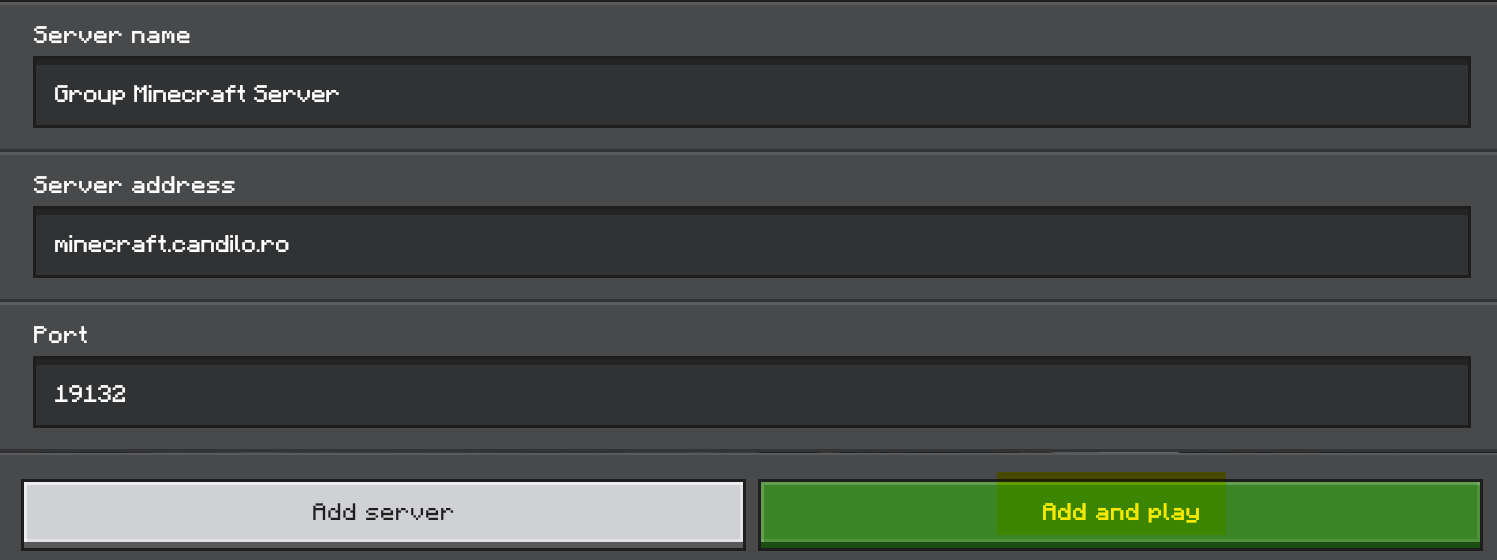
Select Add Server. Choose any memorable name.

Address: minecraft.candilo.ro
Port: 19132
Then select Add and play.
Next time
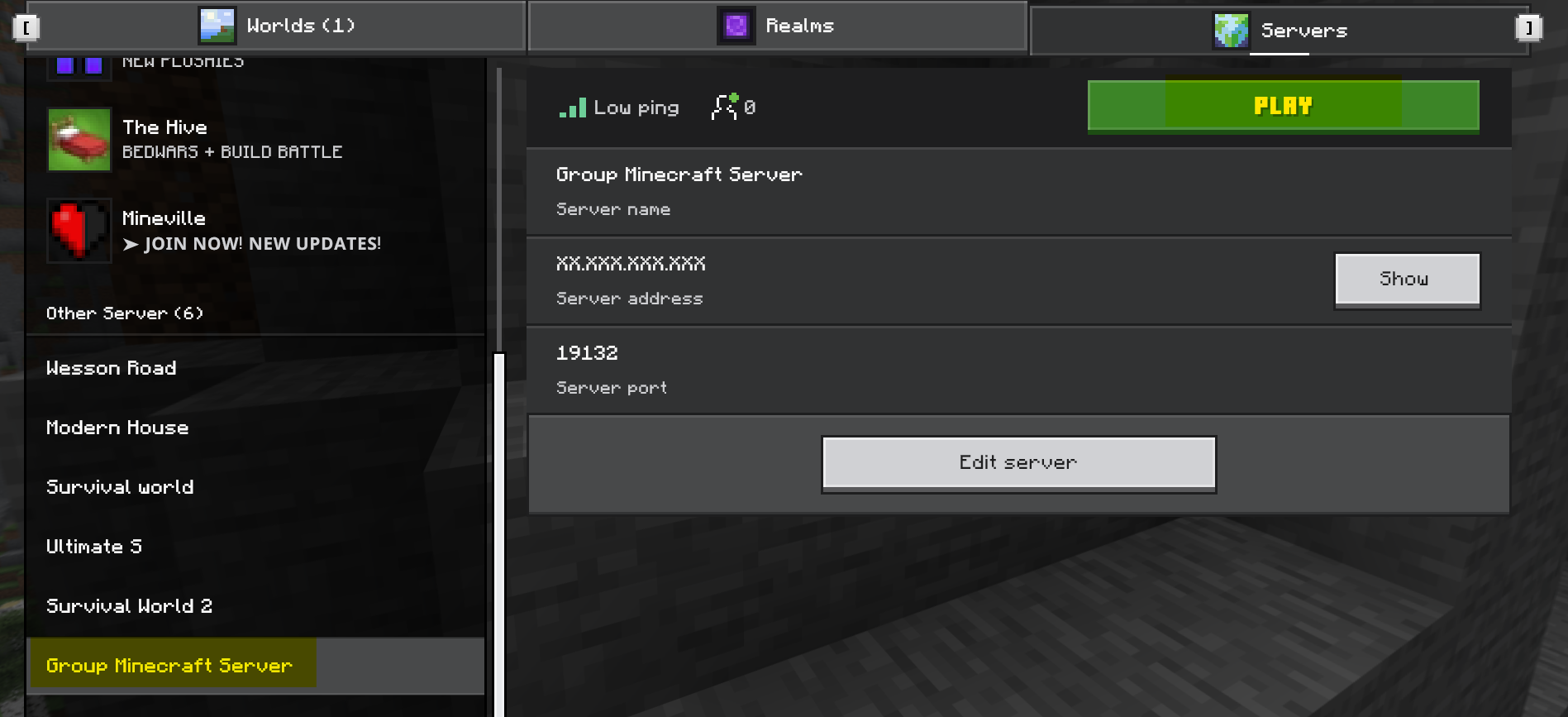
Open Play → Servers, choose the name you saved, and press Play.
Usual availability
These are family guidelines rather than a technical guarantee. Ask in the group if a different time would help.
Help
Confirm you are using Bedrock Edition, are signed in, entered port 19132, and sent the exact Gamertag used by your Microsoft account. Then ask in the WhatsApp group.
The shared world uses Creative mode and Easy difficulty. Cheats are enabled, and approved players have operator permissions.
Yes. Players can normally access and change each other’s builds. Agree on personal base areas and use signs to mark them clearly.
No custom add-ons are currently enabled. The server runs the official Bedrock Dedicated Server.
Let Caitlin or Jeffery know. The world is backed up, but issues need to be reported because it is not actively monitored.